Touchless Garbage Can Lid Not Working
Honestly, there is nothing more infuriating than standing in your own kitchen with hands covered in raw chicken juice, waving frantically at a rubbish bin that simply refuses to open. You know what I mean? You do the little hand dance, then you do a more aggressive wave, and finally, you just groan and pry the lid up with your elbow like an absolute caveman.
If you are currently browsing online, trying to decide if an automatic motion sensor bin is actually a smart purchase for your home, this exact scenario is probably your biggest fear. You're thinking, I love the idea of the convenience, but what happens when the touchless garbage can lid just stops working? Let me explain. It’s completely normal to worry about tech failing. But before you abandon the idea and go back to a boring old foot pedal, let's look at why these smart bins sometimes chuck a wobbly. Because here’s the thing—90% of the time, the bin isn't actually broken. It just needs a tiny bit of basic maintenance. Knowing exactly what goes wrong will actually make you a much smarter, more confident buyer.
The Classic "Is It Plugged In?" Situation
Okay, let's start with the most obvious culprit. The batteries. I know, I know, it sounds painfully basic. But you would be absolutely shocked by how many people throw out a two-hundred-dollar bin because they were convinced the motor died.
Automatic bins usually run on either standard AA batteries or those giant, heavy D-cell batteries. As the batteries start to lose their charge, the bin doesn't just suddenly die. It gets sluggish. The lid might open halfway and then give up, or it might take three or four waves of your hand to register the movement. We call this a "voltage drop" in the tech world. Basically, the computer chip inside the lid still has enough power to see your hand, but the mechanical motor doesn't have enough grunt left to physically lift the plastic flap.
Simply replacing the AA batteries with a fresh, high quality pack should fix your problem. Alternatively, you could also opt for a bin which is rechargeable such as the Luma Dual-Lid Smart Sensor Bin.
The Grimy Sensor Syndrome
If the batteries are fresh but the lid is still acting like it's fast asleep, we need to look at the sensor itself.
These bins rely on infrared technology to function. It is a brilliant little system. A tiny LED emits an invisible beam of light, and a receiver waits for that light to bounce off your hand and return. When the beam bounces back, the motor kicks into gear. But here is the major catch. Kitchens are incredibly gross places.
Even if you are the cleanest cook in Australia, tiny droplets of aerosolised cooking oil and grease float through the air whenever you fry a steak or sizzle some sausages on the stove. Over time, that invisible grease settles down right on top of your bin’s sensor. It creates a cloudy film. The sensor gets completely blinded. It literally cannot see your hand waving in front of it.
So, before you panic and claim the warranty, grab a microfibre cloth. Put a tiny dab of rubbing alcohol or even just a bit of warm soapy water on it, and gently wipe the little dark plastic window at the front of the lid. Just give it a good wipe. You will probably fix the "broken" bin in about four seconds flat.
If that doesn’t work, your bin could actually be defective. If a replacement is needed, you could opt for an excellent quality, lightweight bin such as the Hygio Smart Sensor Bin.
The "Have You Tried Turning It Off and On?" Fix
Sometimes, the computer brain inside the lid just gets confused. It happens to our phones, it happens to our smart TVs, and yes, it happens to our garbage cans.
Maybe a blowie buzzed past it too many times, or maybe it got stuck halfway open because a piece of oversized cardboard was blocking it. When the internal logic board gets jammed up, it usually shuts itself down to prevent the motor from burning out. We call this "power cycling" when we want to sound professional. But honestly? It just means resetting the silly thing.
Here is your standard troubleshooting checklist for a hard reset:
l Find the power switch on the back or underneath the lid and flip it to OFF.
l Take the batteries completely out of the compartment.
l Leave it alone for a full minute to let any leftover static charge dissipate.
l Put the batteries back in, flip the switch to ON, and wave your hand.
Almost every single time, you will hear that satisfying mechanical whirrrrr and the lid will pop right open.
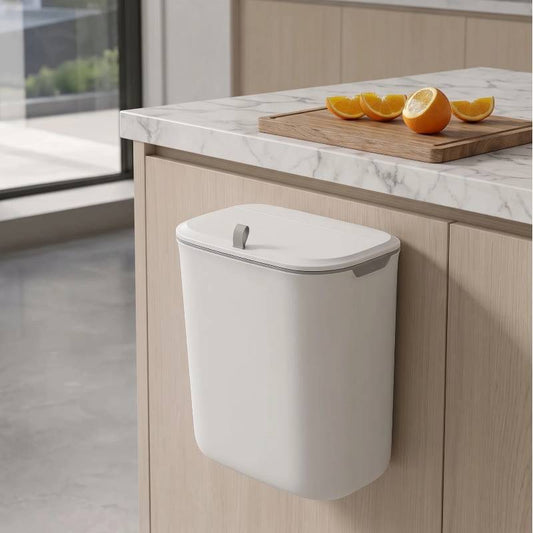
If you prefer a different type of lid, you can opt for a Sensor Bin with a Dual Lid Opening like the Luma Bin, a Single Lid Opening like the Hygio Bin, or even a manual lid such as the Nesto Hanging Bin.
The Gunk in the Hinges
Let's talk about the actual mechanical bits for a second. If you wave your hand, and you can hear the motor desperately buzzing inside the plastic housing, but the lid isn't moving, you have a mechanical jam.
We tend to cram things into our bins. We push down the rubbish to make more room, and sometimes sticky food waste or bits of torn plastic packaging get wedged right up into the hinge mechanism. During a hot, humid Aussie summer, that sticky residue turns into a solid, glue-like cement. The motor is trying its best, but it literally cannot overcome the sticky gunk holding the lid down.
Take the lid assembly completely off the base. Take it over to the sink, get an old toothbrush, and gently scrub the hinges. You don't want to submerge the whole electronic top in water (that will genuinely ruin the circuitry), but you do need to make sure the physical pivot points are completely clear of old food.
So, Should You Still Buy One?
Now that we've gone over all the ways these things can temporarily stop working, you might be second-guessing your purchase. Are automatic bins worth the hassle?
Honestly, yes. They absolutely are.
The sheer convenience of never having to touch a dirty bin lid while prepping a Sunday roast is fantastic. It cuts down on cross-contamination, keeps your kitchen feeling premium, and stops you from constantly washing your hands every time you throw a tissue away. You just need to buy smart.
There are various choices in the market but the most highly recommended Sensor Bin options are the Luma Dual-Lid Sensor Bin or the Hygio Sensor Bin. Alternatively, you can choose a Manual, Hanging Bin such as the Nesto or Olivio Bin which will also suit your kitchen aesthetics.
Living with smart home tech means accepting a few minor hiccups along the way. You might have to wipe a sensor occasionally. You might have to charge a battery. But as long as you treat it properly and keep the moving parts clean, a touchless bin is a brilliant addition to the kitchen. Just keep that microfibre cloth handy, and you'll be sweet.